
Choose your first camera lens by deciding what you want it to help you photograph. Then check that it fits your exact camera. A lens can be popular and still be the wrong match for your mount, your subject or the way you like to work.
Jordan Brittley prefers prime lenses and recommends a 50mm prime as a first lens for its range of uses, from portraits to everyday photos. A prime has one fixed focal length. Check that the lens fits your camera and gives you the view you want.
If you’re starting out on a budget, a camera with a kit zoom can be a good choice. One lens lets you try several focal lengths without buying more lenses. Use it to practice light, exposure and framing. Look through photographs you like and check their focal lengths. Notice what you wish you could change: the view, the distance, the light or how close you can focus. Let that guide a later lens purchase.
Start with one photographic need
Give the lens one main job. You might want to include a person and the place around them, photograph a small detail or frame a distant subject more tightly.
Make the need specific enough to compare. “I want a wider view for a group” tells you more than “I need a better lens.” “I want to focus closer on a flower” points to a different feature from “I want to photograph a bird across the yard.”
Keep a few example photos nearby while you shop. They help you check whether a feature has a purpose in your work.
Check the mount before the focal length
The mount connects a lens to a camera body. A shared brand name is not enough to establish that they fit. Check the full camera model and the lens mount in the manufacturer's compatibility information.
For example, Sony has A-mount and E-mount systems, and their lenses are not directly interchangeable. Some combinations use an adapter, with limits that depend on the exact camera and lens. Sony explains mount compatibility.
Also check the sensor format the lens is made to cover. A full-frame lens and an APS-C lens can have different coverage even within one mount system. Read the manufacturer's guidance for your exact combination before buying.
Choose the view you need
Focal length helps describe how much of a scene a lens includes. On the same camera, a shorter focal length gives you a wider view and a longer one gives you a narrower view. Sensor format also affects framing. Nikon explains focal length and angle of view.
If you have a zoom, try leaving it at one focal length for a short session. Then try another. Pay attention to where you need to stand and what fits around your subject.
That gives you a useful preview of a prime lens, which has one fixed focal length. A zoom gives you a range. The choice depends on how you want to frame and work.
Compare aperture with the light you use
The f-number describes the lens aperture. A lower f-number means a wider opening, which can admit more light. Aperture also affects depth of field, the range of distances that appear acceptably sharp. Cambridge in Colour explains lens aperture and focal length.
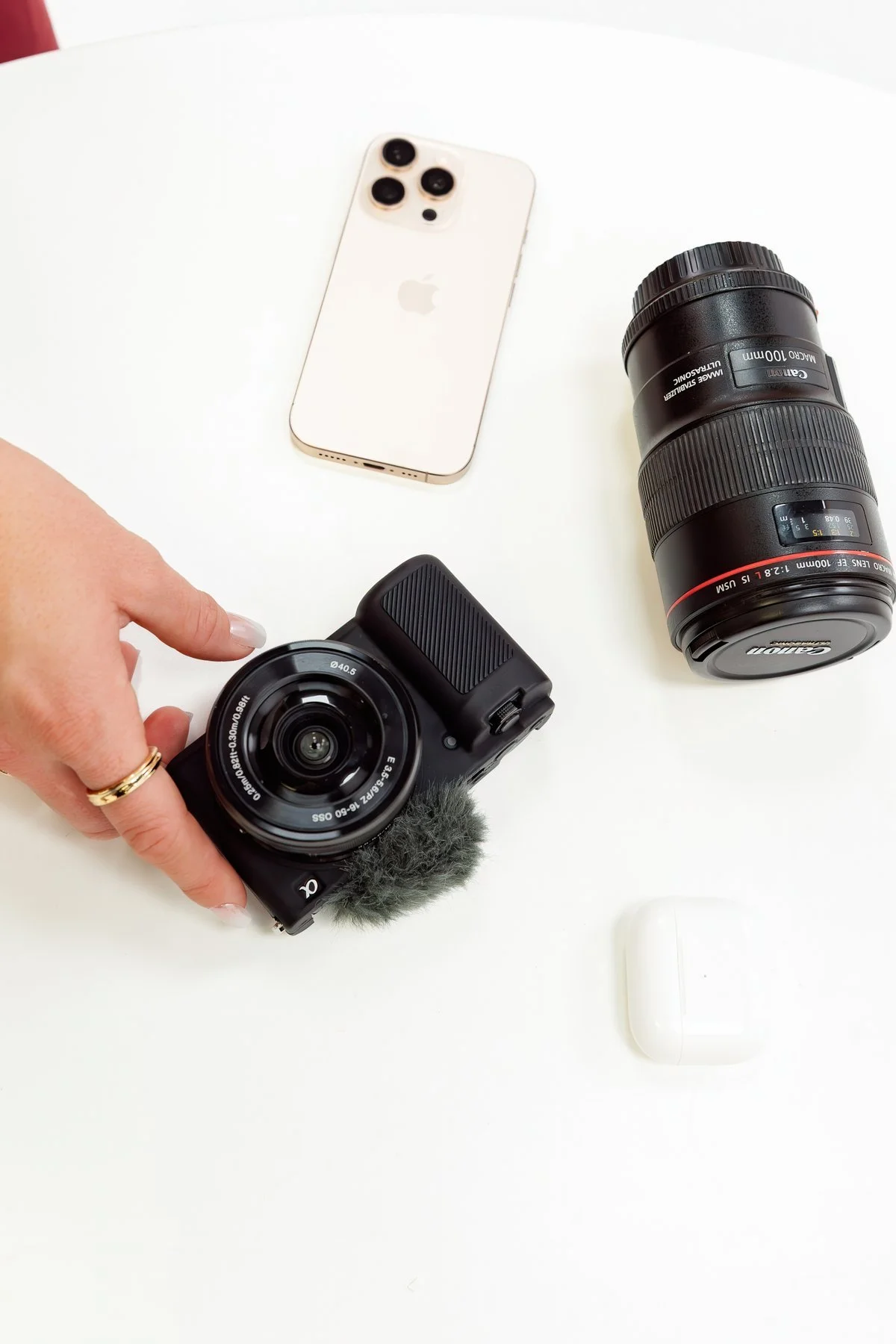
Read the full lens name and markings, then check that it fits your camera.
Compare the maximum aperture in the full lens name. A zoom marked f/3.5–6.3 has different maximum apertures across its range. A constant-aperture zoom keeps the same maximum f-number through the range.
Ask how often that matters for your photos. You may want to work in lower light, keep more people sharp in a group or control the look of a background. A wide maximum aperture is one available choice; you can still use a smaller opening when the photograph calls for it.
Check close focus, stabilization and size
For close-up subjects, compare minimum focus distance and maximum magnification. The focal length alone won't tell you how large a small object can appear in the frame.
If the lens has stabilization, check how it works with your camera. Stabilization helps with camera shake. It doesn't freeze a moving subject, so you still need to think about shutter speed.
Finally, consider carrying and handling it. Try the lens on your camera if possible. Check whether you can reach the controls and hold the combination comfortably for the work you want to do. Sony's lens-basics guide helps decode lens names and features.
Use this check before you buy
- Name the exact camera model and mount.
- Confirm sensor coverage and any adapter limits.
- State the main subject or photo the lens should help you make.
- Compare its focal length and maximum aperture with your current lens.
- Check close focus, stabilization and size when they matter for that subject.
- Include required accessories and any adapter in the total cost.
If the new lens doesn't answer a clear need yet, keep working with your current one. Make a set of photos at different focal lengths and review what you want to change. You'll have a more useful starting point for the next decision.
Frequently asked questions
Should my first lens be a prime or a zoom?
Jordan prefers prime lenses. A kit zoom can still be a good first lens for a beginner on a budget. You can try several focal lengths with one lens, then use those photos to help you choose a prime later.
Is a 50mm lens the right first lens for everyone?
A 50mm prime is Jordan’s first-lens recommendation. Its view depends on the camera's sensor format, and its fit depends on the mount. Check your subject and preferred camera distance before choosing it.
Can I keep learning with the kit lens?
Yes. Use it to practice light, exposure and framing. Those photos can help you decide which feature you would actually use in a second lens.
Will a wider aperture make all my photos sharper?
A wider aperture changes light and depth of field. It doesn't guarantee sharp focus or stop subject movement. Check focus, shutter speed and how much of the subject you want sharp.
Do I need an expensive lens to find my style?
You can study your framing, light and editing choices with the lens you own. Buy another lens when its features serve a photo you want to make.
